Ableton Finally Made Hardware, and It's Actually Good
There's something odd about Ableton making hardware. For most of the music-making world, Ableton is the laptop on stage, the grid on the screen, the endless session view. It's software. It has always been software. So when they announced Move - a palm-sized, battery-powered groovebox with a built-in speaker - it felt like a bit of a statement. Or at least a very deliberate step in a direction nobody was totally sure they'd take.
What It Is
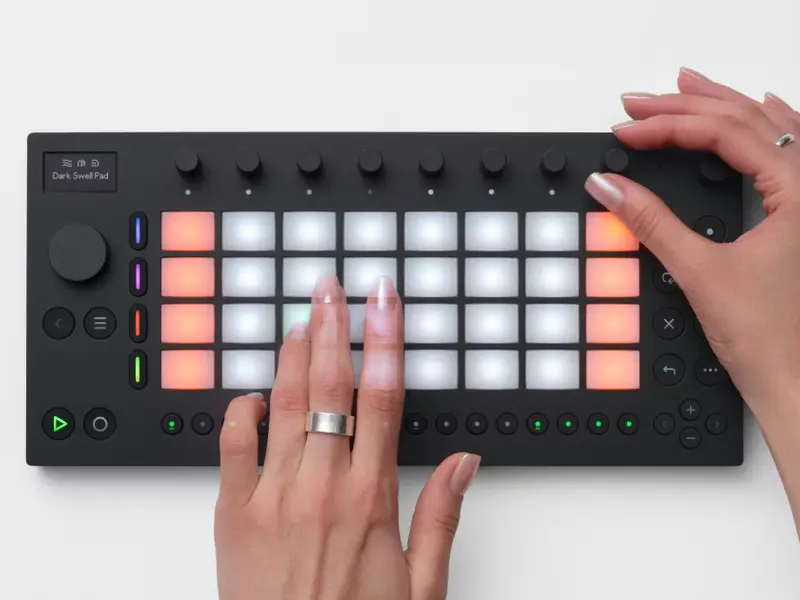
Move is a standalone device with four tracks, a step sequencer, 32 backlit pressure-sensitive pads, and nine touch-sensitive endless encoders. Each track can be a drum kit, a sampler, or a synthesiser - you get Drift and Wavetable on board, both of which are familiar to anyone who's used Live. There's a built-in microphone for sampling on the spot, a 3.5mm stereo input for connecting a phone or external source, and a 3.5mm output for headphones or a speaker. It runs on battery for up to four hours and weighs less than a kilogram.
The device comes loaded with over 1,500 presets, samples, and drum hits, with packs contributed by producers including BNYX, DECAP, and L.Dre. Every new session you open gets a random starting point - drums, bass, a melody line, pads - so you're never staring at a blank slate.
The Feel of It
What makes Move interesting isn't just the spec list. It's the way it's been put together. The Capture button - borrowed from Live - records what you've been playing even before you hit record. Sequences can run up to 16 bars, which is longer than you'd expect from something this compact. And the drum tracks let you pitch individual samples, which means you can build basslines and melodies out of drum hits without switching to a separate instrument track.
The workflow is quick and fairly intuitive. You're not managing menus or navigating deep into submenus to change a filter cutoff. The encoders handle sound shaping at the surface level, which keeps things moving. Built-in reverb, delay, and a saturator cover most of what you'd want for basic sound design.
The Cloud Part
The thing that separates Move from most other standalone devices is what happens when you get back to your computer. Via Wi-Fi and Ableton Cloud, you can sync your Move sessions directly into Live or the Note app. Your sketches become full Live sets, ready to develop further. There's also a Control Mode that turns Move into a hardware controller for Live, handling clip launching, sequencing, and parameter control.
This is where the "elephant in the room" angle becomes clear. Move isn't trying to replace your studio setup - it's designed to feed it. You sketch on the train, you finish at your desk. That loop between the two is smoother here than on almost any other portable device, because Ableton controls both ends of it.
Worth Thinking About
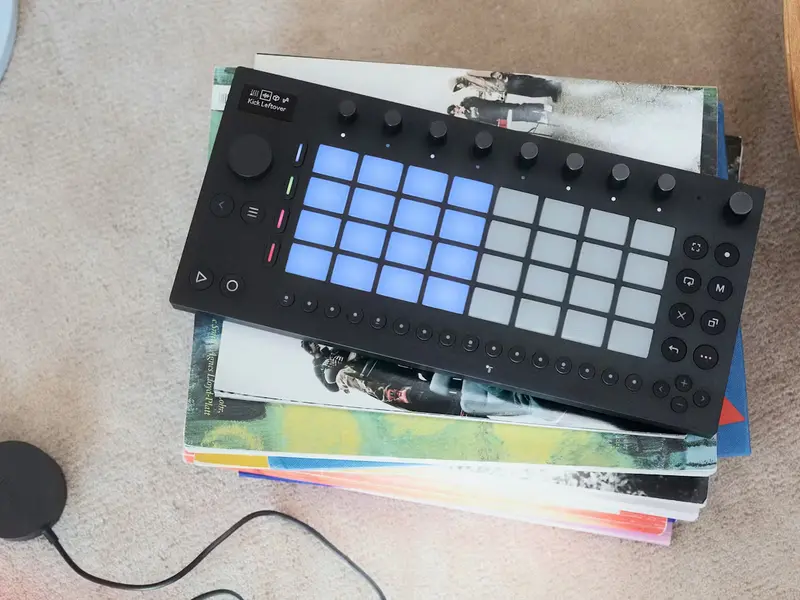
Move isn't for everyone. If you have no interest in Ableton Live, the Cloud integration becomes much less compelling. The four-hour battery is fine for a session in a park but won't last a long journey without a power bank. And there will always be people who feel that a groovebox from a DAW company lacks the character of something built specifically for hardware.
But for the huge number of people who already live in Live - who use it as their main creative environment - Move is a genuinely thoughtful companion. It respects how you work, it fits in a bag, and it sounds like the software you already know. For Ableton's first proper piece of hardware, that's a pretty solid start.
More News
Notes